An AI-written reply can be grammatically perfect and still be the wrong email to send.
The mistakes that matter are often not spelling mistakes. They are a delivery date you never agreed to, a feature your product does not have, or a confident answer to a question the customer did not ask.
An approval button gives you a chance to catch those mistakes. It does not catch them for you. Here is a short review routine you can use with any drafting tool.
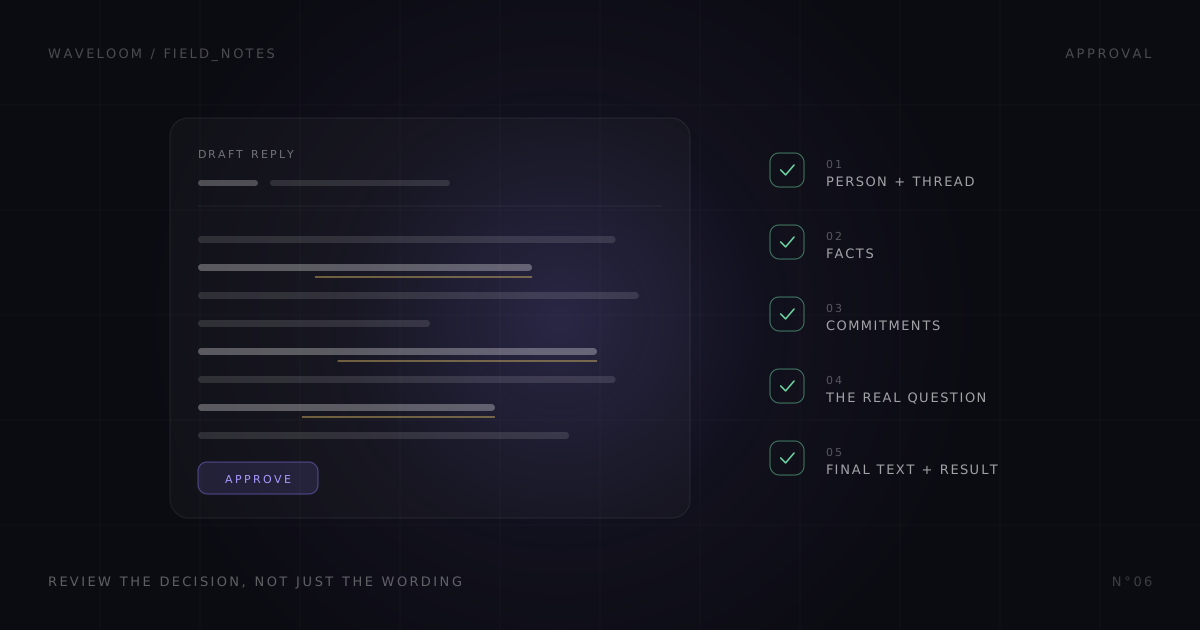
1. Check the person and the conversation
Before reading for tone, check where the reply will go.
Is this the right sender, account and thread? Is it a private reply or a reply to everyone? Are you answering the latest question, or an earlier part of the exchange that has already been resolved?
Open the original conversation if the preview does not give you enough context. Do not assume the drafting tool has the whole history just because the reply sounds familiar with it.
This is particularly important when two contacts share a name or when someone forwards a conversation. The person described in the message is not always the person receiving your answer.
2. Separate facts from plausible additions
Read the draft once looking only for factual claims. Names, plan limits, prices, supported integrations, delivery dates and references to previous conversations all deserve a source.
Consider this invented exchange:
Customer: "Can clients review a file without joining the workspace?"
Draft: "Yes, guest review is included on every plan. I can enable it for your team today."
That draft contains at least three claims: the feature exists, every plan includes it, and you can enable it today. The customer's question establishes none of them.
Check the actual product and account details. If you cannot verify the answer yet, say that plainly. "I'll check which review options are available for your account" is more useful than an invented yes, provided you intend to do that follow-up.
3. Look for commitments hidden in ordinary sentences
Words like "will," "included," "guaranteed" and "by Friday" can turn a friendly reply into a promise.
A draft should not negotiate a discount, commit a teammate to work, promise a fix or choose a delivery date simply because that makes the conversation easier. Those are decisions, not writing improvements.
Meeting suggestions need the same scrutiny. A proposed time is not evidence that your calendar was checked. If availability has not been verified, ask for a time window or check the calendar yourself before including a slot. Include the time zone when a specific time matters.
The question is not "Does this sound helpful?" It is "Am I willing and able to do what this sentence commits me to?"
4. Make sure it answers the real question
A polished reply can be mostly filler: thanks for reaching out, glad to hear it, happy to help. Those lines do not answer a question about whether the customer can finish their work.
Find the one question the reply needs to resolve. Then check whether the answer is direct and whether any necessary qualification is visible.
If the request is ambiguous, one specific follow-up question is usually a better starting point than a long answer built on an assumption. For product feedback, asking what the customer is trying to accomplish can be more useful than immediately agreeing to a feature request.
Tone comes after that. Make the reply sound like you, but do not let a warmer sentence hide an uncertain answer.
5. Review the final text, then check the send result
After editing, read the whole message again. A removed sentence can leave a reference that no longer makes sense. A changed date may still appear elsewhere. Make sure there are no placeholders, missing links or claims that an attachment is included when it is not.
Approve the message you can actually see. Afterward, look for the reported result. Clicking approve is not by itself proof of delivery; an external service can fail or leave the outcome uncertain.
If the result is unclear, check the original app before sending another copy manually. The goal is one correct reply, not a second message created while guessing whether the first worked.
How this applies to Waveloom
Waveloom's background feed can offer editable Gmail replies and supported Slack direct-message replies. Those actions require explicit approval. Not every card has an action, and connecting an app does not make every possible write available from the feed.
Drafts use the context available to the system, which can be incomplete. Approval keeps the decision with you; it is not a claim that the draft is factually correct.
If you handle inbound sales inquiries, this distinction matters: the useful outcome is a relevant message noticed and answered carefully, not a faster way to make unsupported promises. For a focused way to evaluate the feed itself, read Start with one source.